How do you work on a cut in DaVinci Resolve while traveling, when the footage sits on the studio NAS? KEIBIDROP shows the NAS folder on your laptop, over the internet, and fetches only the parts you touch, so you open the footage on demand straight from Resolve, Final Cut or Premiere. To show that, we recorded a Resolve demo: a NAS in Timisoara serves a shoot, a laptop in Bucharest, 400 km away, edits from it. The first take moved 3.17 GB for 146 MB of clips, and Resolve froze inside a read. By the end of the day four bugs were out. All four had been in the code since July and August. They showed up when an editor's read pattern met a saved contact, a daemon restart, a relayed lane and a Mac that went to sleep. This is what each one was, how the trace found it, and what the same take measures now.
The setup
The box runs the KEIBIDROP serving side in a container and shares a folder (the container guide). The laptop keeps the box as a saved contact and mounts the folder. Resolve gets the mount as its second media storage location, a local disk stays first so cache and proxies stay local, and Direct I/O stays off (the Resolve guide). The link is a home connection through the KEIBIDROP bridge on its paid tier. The laptop is an Intel MacBook Pro with macFUSE; Resolve 21, free edition.
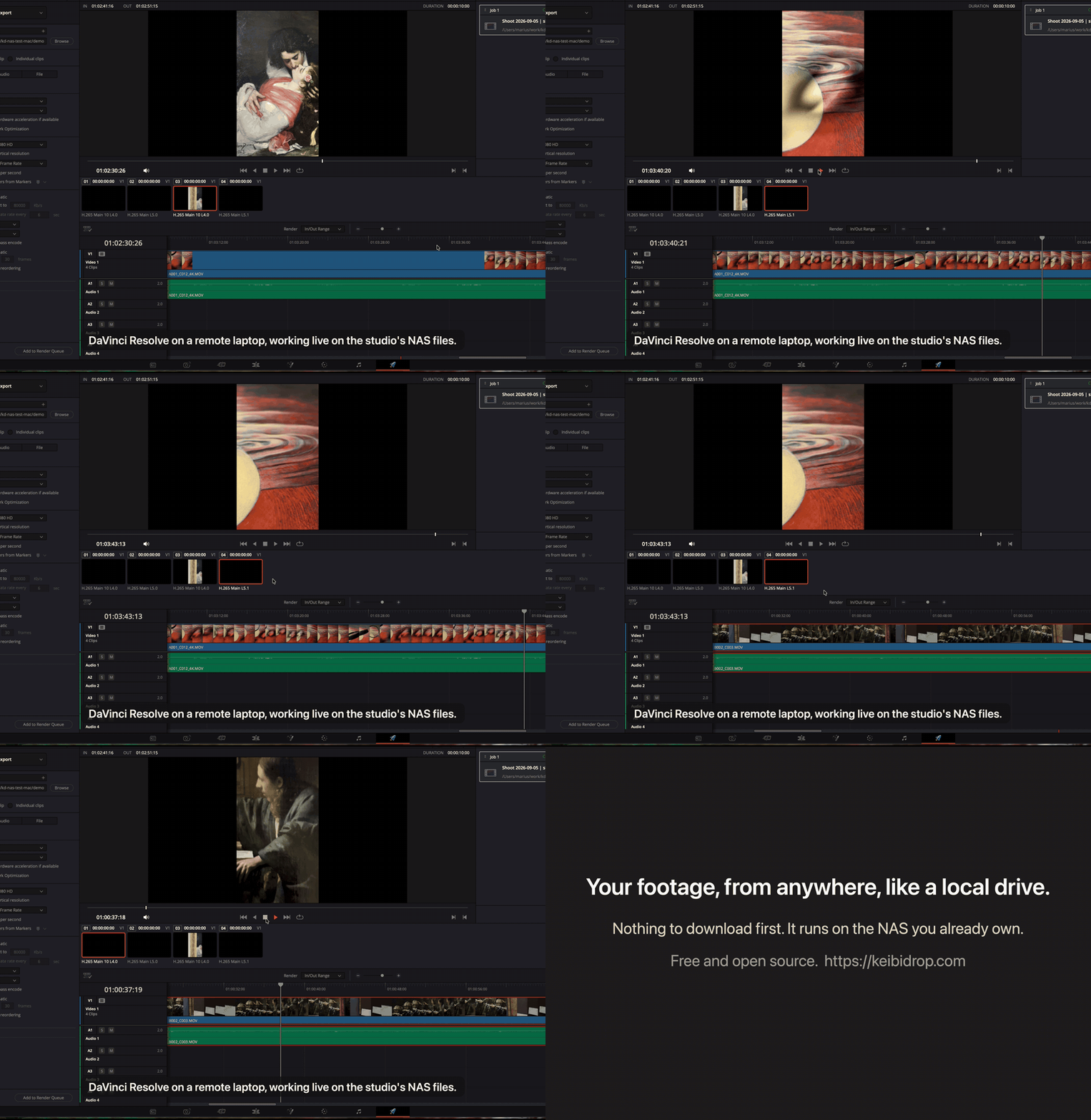
The take itself is scripted: a terminal shows the box, Finder shows the mount, then a Lua script in Resolve's own Scripts menu creates the project, imports four clips and builds the timeline, and the keyboard does the rest, play, next edit, one second jumps. The free edition runs scripts from its own menu only, and a scripted playhead move costs half a second through the bridge, so the keyboard is also what looks right on camera.
The same block, once a second
The daemon logs one line per block fetch. During the first take, one file handle on a 21 MB clip fetched block 0 again and again, one fetch every 1.1 seconds, for over a minute:
11:34:49 fh=19 offset=6246400  block=0 waited=939ms
11:34:50 fh=19 offset=6258688  block=0 waited=1.07s
11:34:51 fh=19 offset=9428992  block=0 waited=1.07s
11:34:52 fh=19 offset=10461184 block=0 waited=1.07s
11:34:53 fh=19 offset=10530816 block=0 waited=1.07s
Every read of that clip was a miss. The fetched block stayed unmarked, so the next read fetched it again. Reproduced with ffmpeg alone: decoding that clip through the mount cost 386 MiB when the clip had a cache copy from an earlier daemon session, and 20 MiB for a cold copy of the same clip.
The mechanism needs a restart. The save folder keeps the cache copies of the box's files, full size, sparse, with the cache writer's mtime. After a restart, the box re-announces every file in the first two seconds of the session. Whatever touches the mount in that window, a Finder window, Resolve checking its media, a stat, registers the path from the file on disk, and that registration skips the chunk bitmap, the record of which parts are already fetched. The announce then finds an existing entry of the same size with an older origin mtime and keeps it. From then on every read fetches its 16 MiB block, the record of it is lost, and the next read fetches again.
The second order bit the same afternoon: announce first, as a fresh entry in the remote map, then the first open finds the cache copy on disk, misses the entry in the open map, and builds a second, bitmap-less object for the same path. That take pulled 7 GB for 557 MB of clips and left Resolve frozen in a read. The fix is one object per path: the announce attaches a bitmap to an entry registered from disk, and the open adopts the announced entry instead of building a twin. Each order has a unit test now, and the decode that cost 386 MiB costs 20 MiB.
A correction to the previous post: its open item, sixteen 1 MiB sequential reads moving sixteen blocks, blamed the kernel's look-ahead. It was this bug. The file in that measurement had a cache copy from an earlier session.
The box gave up after lunch
The laptop went to sleep at 12:14. The box noticed the lost link, retried through its budget of ten attempts, logged a give-up at 12:22, and then stayed silent for three and a half hours. The reconnect manager stops after its budget, and the auto-connect watchdog dials once the session is gone. A give-up left the session running with a dead link, so the watchdog deferred forever. When the laptop came back it polled the relay for the box's room once a second and got an empty answer every time.
Fix: a give-up with auto-connect armed ends the session, so the watchdog redials with its own backoff, five seconds doubling to two minutes, for as long as the peer is away. Proof on the real box: the laptop daemon killed mid-session, the box left to notice on its own, the box gave up 7 minutes 42 seconds later and ended the session at once, the laptop started twelve seconds after that and was connected 17 seconds later. Before the fix the box stayed silent until someone restarted it.
The first block waited for a heartbeat
Every session's first cold block took 4 to 8 seconds; later blocks took half a second. The trace showed the first read going out over the QUIC control lane, which on this link comes up through the UDP relay room. A 16 MiB read starved the lane's heartbeat, a ping every 5 seconds with a 2 second deadline. The heartbeat demoted the lane mid-read, the read's stream died, and the read handler rebuilt its pool over TCP and fetched again.
Fix: a relayed lane carries control only; on-demand reads and chunk hashes stay on TCP there. A direct lane keeps the split. First cold block of a fresh session after the fix: 0.58 s, then 0.51 s and 0.48 s, lane verified and kept. The follow-up for direct lanes on slow links is to treat the lane as alive while bytes flow instead of demoting on one starved ping.
Announces that beat the mount
After a laptop restart the mount listed only the files that had a cache copy on disk. A new folder with three test files was in the tracker while the tree lacked it. The box re-announces everything in the first two seconds; the mount comes up about ten seconds later; the announces landed in the tracker only. The step meant to fold them into the tree ran before the mount, and the tree root is created inside the mount, so it ran against an empty tree. Fix: the fold-in runs from inside the mount, right after the root exists and before FUSE serves it. After a restart the mount now shows the whole tree, cache copy present or absent.
What the take measures now
Same rig, cold cache, paid relay, four clips of 21 to 284 MB, 557 MB on the timeline:
| Beat | Wall time | Bytes in over the link |
|---|---|---|
| Import four clips | 2 s | 0.1 MB |
| Build the timeline (filmstrip thumbnails) | 8 s | 199 MB |
| Land on clip 2, play 5 s | 8 s | 32 MB |
| Jump to the 4K clip, play 6 s | 13 s | 78 MB |
| Seek 10 s ahead, play 5 s | 12 s | 128 MB |
| Render 10 s of the 4K clip to 1080p | 4 s | 0 |
438 MB for the whole run, one fetch per block, against 3.17 GB and a frozen Resolve in the first take. The filmstrip is the largest step before the first play: Resolve reads one frame per thumbnail position along every clip. Playback pulls the frames it plays plus the read-ahead window. The fixes changed announce and open registration and left the per-read path as it was; the hot-path latency tests, run back to back against a worktree at the morning's commit, sit inside run-to-run noise.
What we would do again
Turn on the per-operation trace before the first take: every open, read with offset and length, release and announce verdict, on one line each, is what turned a "something is off" into a file handle and a block number in minutes. Test both orders of every race; the morning fix covered stat-then-announce and the afternoon take found announce-then-open. Keep the recording as the test: the unit suite and the full integration battery were green while the take pulled 7 GB, because both keep the daemon up for the whole run and open each file a few times, while an editor restarts and opens the same clip a hundred times. And measure a claimed regression against a worktree, back to back, before believing either number.
Still open. The first second of a cold play pays its block boundaries one by one, because the read-ahead window arms after 8 MiB of sequential consumption. The on-demand block map lives in memory only, so a restart fetches touched blocks once more. The cache folder keeps growing; a size limit is on the list. The mount goes away with the session; the plan is for it to stay up through a link drop and answer a missing block with an error for that read alone.